
How to Secure Remote Access on Mobile Devices: Essential Tips
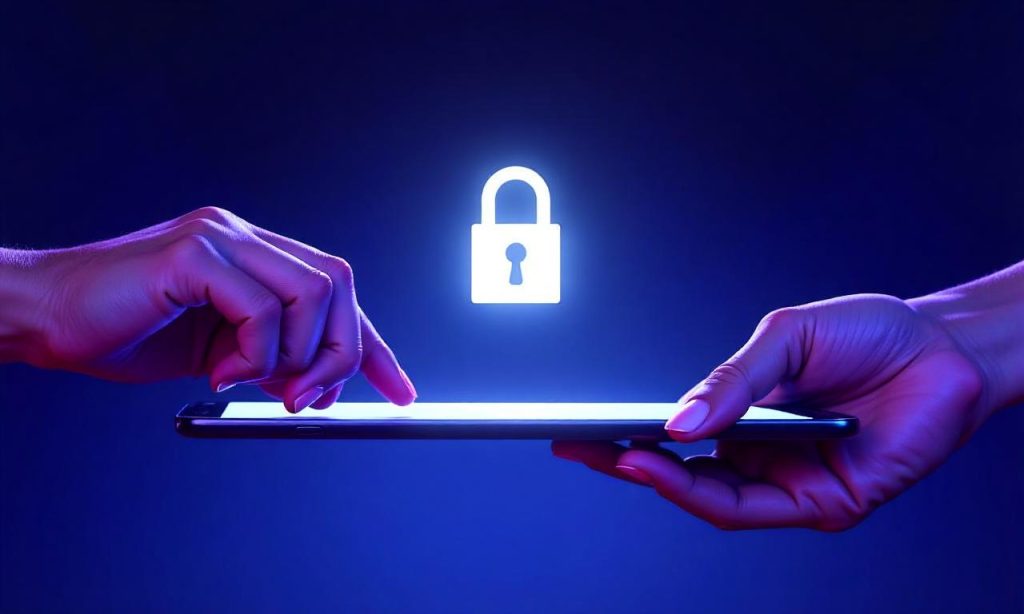
Securing remote access on mobile devices is crucial in today’s digital landscape, where businesses and individuals rely heavily on smartphones and tablets for connectivity. With the rise of remote work and mobile computing, remote access has become both a convenience and a potential security risk. Whether you’re accessing company networks from home or connecting to servers while traveling, tips for remote access on mobile devices can help protect your data from unauthorized access, malware, and network vulnerabilities. This article provides a comprehensive guide to remote access security, covering practical strategies to ensure your mobile devices remain safe while maintaining seamless connectivity.
Understanding Remote Access and Its Risks
Remote access allows users to connect to systems, networks, or applications from anywhere using their mobile devices. However, this flexibility comes with risks, especially if proper security measures are not in place. Common methods like Virtual Private Networks (VPN) or cloud-based platforms enable access but also expose devices to threats such as data interception or brute-force attacks. Mobile devices are particularly vulnerable due to their portability and frequent use in unsecured environments. By recognizing these risks, users can better prioritize remote access security and implement protective strategies effectively.
Key Tips for Secure Remote Access
The first step in securing remote access on mobile devices is to adopt strong authentication practices. Always use unique, complex passwords for each account and enable two-factor authentication (2FA) wherever possible. This adds an extra layer of protection, requiring users to provide a second form of verification, such as a code sent to their phone or a biometric scan, before granting access. Additionally, choose reliable security protocols like AES-256 encryption to safeguard data during transmission. These tips for remote access on mobile devices ensure that even if a password is compromised, attackers can’t easily breach your system.
Device-Specific Security Measures
Each mobile operating system—iOS and Android—offers unique security features that can enhance remote access security. For iOS users, enabling Face ID or Touch ID and using biometric authentication for apps is essential. Regularly updating the device’s software ensures that known vulnerabilities are patched, reducing the risk of exploits. Android users should activate encryption for their device and review app permissions to limit access to sensitive data. Both platforms also allow users to install trusted remote access apps, which often include built-in security measures like secure login protocols and session monitoring. These tips for remote access on mobile devices are tailored to the specific security needs of each system.
Network and Connection Security
Securing the network you use for remote access is equally important as protecting the device itself. Always connect to trusted Wi-Fi networks, especially when using public hotspots, and ensure they have strong passwords. Consider using a Virtual Private Network (VPN) to encrypt your internet connection and mask your IP address, making it harder for hackers to intercept your data. Mobile data is generally more secure than public Wi-Fi, but even then, enabling encryption and using a secure connection protocol like HTTPS or TLS can prevent data leaks. These remote access security tips help maintain confidentiality and integrity across all connection types.
Advanced Protection Techniques
For added security, incorporate advanced tools and practices into your remote access on mobile devices strategy. Endpoint security software, such as mobile device management (MDM) solutions, can monitor and control device activity, enforcing policies like automatic encryption and app restrictions. Regularly review access logs to detect suspicious behavior, such as repeated login attempts or unusual data transfers. Using application whitelisting ensures only approved apps can access the network, reducing the risk of malware infiltration. These tips for remote access on mobile devices are ideal for users who handle sensitive information or require high-level security for their workflows.
Managing Access Safely
Effective remote access security requires ongoing management and user awareness. Set up access controls to limit who can connect to your systems, assigning roles based on need-to-know principles. Enable session timeouts to automatically disconnect users after periods of inactivity, preventing unauthorized access if a device is left unattended. Regularly train users on best practices, such as avoiding phishing scams and recognizing suspicious links. By integrating these remote access security tips into your routine, you can maintain a secure and efficient remote work environment.
Future-Proofing Your Remote Access Strategy
As technology evolves, so do the threats to remote access on mobile devices. Stay updated with the latest security trends and tools, such as zero-trust architecture, which verifies every access request regardless of the user’s location. Regularly audit your security protocols and replace outdated methods with more robust ones. Consider using multi-factor authentication (MFA) for critical systems, combining something you know, something you have, and something you are for maximum protection. These tips for remote access on mobile devices ensure your security remains adaptive and resilient against emerging threats.
The Role of User Behavior in Remote Access Security
User behavior plays a significant role in the effectiveness of remote access security. Simple habits, like locking your device when not in use or refraining from connecting to unknown networks, can prevent many breaches. Users should also be cautious about downloading apps from unverified sources, as these can contain malicious code that compromises remote access. Regularly updating software and apps ensures that security patches are applied, protecting against known vulnerabilities. Incorporating these remote access security tips into daily routines helps create a layered defense against cyber threats.
Balancing Convenience and Security in Remote Access
While security is paramount, it’s also important to balance it with usability. Overly restrictive measures can lead to user frustration, increasing the likelihood of errors or workarounds that weaken remote access security. Choose tools that offer intuitive interfaces without compromising safety, such as apps that integrate two-factor authentication seamlessly. Regularly test your security protocols to identify and fix weaknesses, and provide clear guidelines to help users understand how to protect themselves. These tips for remote access on mobile devices ensure convenience and security coexist effectively.
Securing Remote Access in a Connected World
In a world where mobile devices are integral to daily operations, securing remote access must be a top priority. This involves not only technical measures but also organizational policies and user education. Businesses should establish clear guidelines for remote access, including device registration, password requirements, and access monitoring. Individuals can take charge by using encryption, setting up biometric locks, and keeping their devices updated. By combining these remote access security tips, users can enjoy the benefits of remote connectivity without exposing themselves to unnecessary risks.
FAQ Q: What is the best way to enable two-factor authentication on mobile devices? A: Most mobile apps and services now support two-factor authentication via SMS, authenticator apps, or biometric methods like Face ID or Touch ID. Choose the method that’s most convenient for you while ensuring it meets your security needs.
Q: How can I secure remote access when using public Wi-Fi? A: Use a Virtual Private Network (VPN) to encrypt your connection and protect data from interception. Avoid sharing sensitive information, such as passwords or credit card details, on unsecured networks.
Q: What are the top remote access security tips for Android users? A: Enable encryption on your device, use biometric locks, and review app permissions to limit data access. Install trusted remote access apps and keep your system updated with the latest security patches.
Q: Can I use the same password for all remote access accounts? A: It’s not recommended. Use unique, complex passwords for each account and consider multi-factor authentication (MFA) to add an extra layer of protection. This reduces the risk of breaches if one password is compromised.
Q: What should I do if my mobile device is lost or stolen while connected to a remote network? A: Immediately activate remote wipe features to delete sensitive data from your device. If you’re using two-factor authentication, ensure your account is locked and verify the device’s location using GPS tracking tools.
