
Essential Tips for Online Privacy: Stay Protected Online
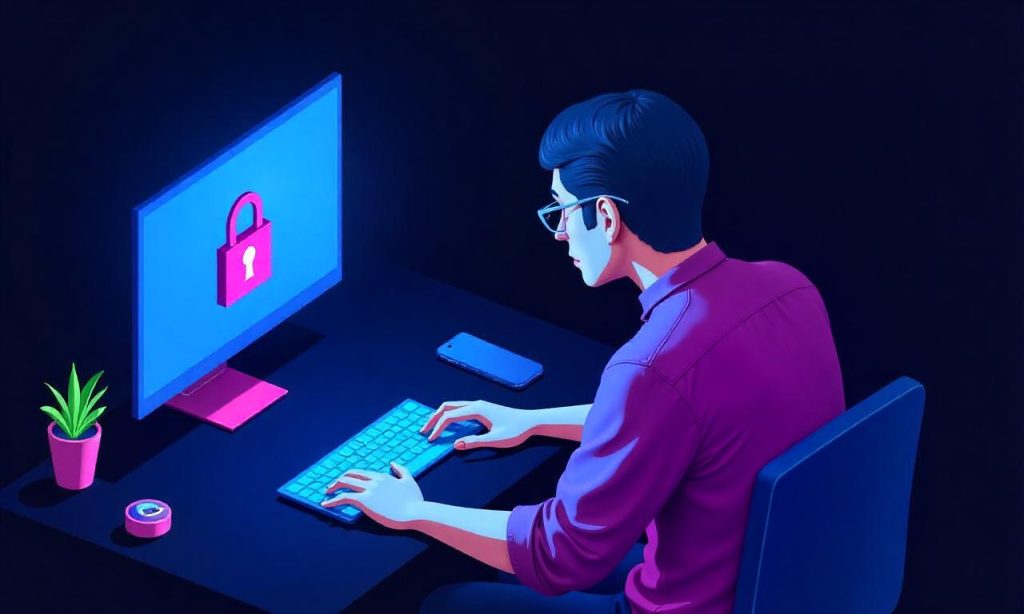
In today’s digital age, online privacy is more important than ever. With the rise of cyber threats, data breaches, and constant surveillance, individuals need actionable tips for online privacy to protect their personal information. Whether you’re using social media, browsing the internet, or shopping online, taking the right steps can significantly reduce your risk of being hacked, identity stolen, or tracked without your consent. This article provides clear and practical tips for online privacy that everyone can implement to stay secure in their online interactions. From simple habits to advanced tools, these strategies will help you maintain control over your digital footprint and safeguard your data effectively.
Understanding the Importance of Online Privacy
Online privacy refers to the ability to keep your personal information, such as names, addresses, and financial details, confidential from unauthorized access. As more aspects of daily life move online, the risk of exposure increases. Every click, search, and login can generate data that companies or hackers might use to target you. By prioritizing tips for online privacy, you can minimize the chances of your information falling into the wrong hands. Understanding the significance of privacy helps you make informed decisions about how you use the internet and what precautions to take.
Use Strong and Unique Passwords
One of the simplest yet most effective tips for online privacy is to use strong, unique passwords for each of your accounts. Avoid reusing the same password across multiple platforms, as a breach on one site can compromise all your other accounts. Strong passwords typically include a mix of uppercase and lowercase letters, numbers, and special characters. Additionally, enabling two-factor authentication (2FA) adds an extra layer of security, making it harder for attackers to gain access even if they guess your password.
Secure Your Personal Information
Beyond passwords, securing your personal information involves being mindful of what you share online. Review the privacy settings on your social media profiles to limit who can see your posts, photos, and contact information. Avoid posting sensitive details like your home address or birthdate publicly. When signing up for online services, only provide the minimum necessary information. This reduces the amount of data available for misuse.
Utilize Privacy Tools and Extensions
Modern browsers and apps offer tools that can enhance your tips for online privacy. Use ad blockers to prevent tracking scripts from collecting data about your browsing habits. Install encryption services like HTTPS for secure communication, and consider using private browsing modes to avoid saving cookies or history. Additionally, virtual private networks (VPNs) can mask your IP address and encrypt your internet traffic, protecting you from surveillance.
Manage Your Social Media Presence
Social media is a major source of data collection, so managing your online presence is crucial for tips for online privacy. Regularly audit your profile to remove outdated or unnecessary information. Limit the visibility of your posts and use privacy filters to control who sees your content. Be cautious about accepting friend requests from unknown individuals and avoid sharing too much personal data in public forums.
Stay Vigilant with Public Wi-Fi and Devices
Public Wi-Fi networks are often less secure, making them a prime target for hackers. When using such networks, avoid accessing sensitive accounts like banking or email without a virtual private network (VPN). Also, ensure your devices are updated regularly with the latest security patches. Enable device encryption to protect your data if your phone or laptop is lost or stolen.
Regularly Monitor Your Online Activity
To maintain tips for online privacy, set up regular check-ins on your accounts. Use tools like privacy checkers or data usage monitors to track how much information you’re sharing and with whom. Additionally, enable email alerts for suspicious activity or login attempts. Monitoring your digital footprint allows you to quickly identify and address potential threats before they escalate.
Educate Yourself on Phishing and Scams
Phishing attacks are a common method used to steal personal information. These scams often involve fake emails or websites designed to mimic real ones, tricking users into revealing their passwords or credit card details. Stay informed about the latest phishing tactics and verify the legitimacy of any requests for your data. Teaching yourself to recognize these threats is an essential part of tips for online privacy.
Keep Your Software and Apps Updated
Outdated software and apps are vulnerable to security flaws that hackers can exploit. Regularly update your operating system, browsers, and applications to patch known vulnerabilities. Many updates include security improvements that protect against new threats. Set up automatic updates where possible to ensure you’re always protected without manual effort.
Avoid Oversharing on the Internet
Even small details can add up to a full profile of you if shared online. Think twice before posting about your daily routines, vacation plans, or personal milestones. Hackers can use this information to guess your passwords or target you with personalized attacks. Limit the amount of personal data you share, especially on unsecured platforms or with unknown entities.
Create a Secure Digital Environment
Building a secure digital environment requires a combination of strategies. Use password managers to store and generate complex passwords, and enable two-factor authentication (2FA) wherever possible. Additionally, consider using encrypted messaging apps like Signal for private conversations. A secure environment also means being cautious about the apps you download and the permissions they request.
Be Mindful of Cookies and Tracking
Cookies and tracking technologies can monitor your online behavior and collect data without your knowledge. While cookies are useful for remembering your preferences, they can also be used for targeted advertising or surveillance. Use browser extensions that block third-party cookies or enable incognito mode to reduce tracking. Regularly clearing your cookies and cache also helps maintain tips for online privacy.
Review Your Online Habits Regularly
Consistency is key when it comes to tips for online privacy. Take time each month to review your online habits, such as which sites you visit, how you log in, and what information you share. This habit ensures that your privacy measures remain up-to-date and effective. Staying proactive in your approach helps you adapt to new threats and maintain a secure digital identity.
Protect Your Children’s Online Privacy
If you have children, their online activity can expose more data than you might expect. Teach them to use strong passwords, avoid sharing personal information with strangers, and recognize phishing attempts. Use child-friendly privacy tools like parental controls or content filters to limit their exposure to harmful content. Monitoring their online presence helps protect their identity and future opportunities.
Employ Multi-Factor Authentication
Multi-factor authentication (MFA) is one of the best tips for online privacy. It requires users to provide more than one form of identification before accessing an account, such as a password and a code sent to their phone. MFA significantly reduces the risk of unauthorized access, even if someone gets hold of your password. Enable this feature on all your important accounts for maximum security.
Limit Data Sharing with Third-Party Apps
Many apps request access to your data, such as contacts, location, or calendar, even if it’s not necessary. Be selective about which apps you grant these permissions to. Review your app settings regularly and revoke access for those that no longer need it. This practice helps prevent unnecessary data collection and strengthens tips for online privacy.
Use a Password Manager for Convenience and Security
Managing multiple passwords can be overwhelming, but a password manager simplifies this process. These tools store your passwords securely and generate strong, unique ones for each account. They also allow you to autofill login details, reducing the chance of human error. By using a password manager, you enhance your tips for online privacy without sacrificing convenience.
Secure Your Devices and Networks
Your devices and networks are the first line of defense against cyber threats. Enable device encryption on your smartphones and computers to protect data in case of theft. Use Wi-Fi encryption like WPA3 to secure your home network, and avoid connecting to unsecured public networks when handling sensitive information. Securing these elements ensures your tips for online privacy are comprehensive.
Stay Informed About Data Protection Laws
Understanding data protection laws like the General Data Protection Regulation (GDPR) or the California Consumer Privacy Act (CCPA) empowers you to make better decisions about your privacy. These laws give individuals control over their data, including the right to access, correct, or delete it. Being aware of your rights helps you advocate for your tips for online privacy in an increasingly data-driven world.
Avoid Clicking on Suspicious Links
Suspicious links can lead to tips for online privacy being compromised. These links often direct users to phishing websites or download malware. Always verify the source of any link before clicking, especially in emails or messages from unknown senders. Use antivirus software and malware scanners to detect and block harmful links automatically.
Use Secure File Storage Solutions
Your files contain valuable information, so storing them securely is essential. Use cloud storage services with strong encryption and private access controls. Avoid uploading sensitive documents to public folders, and enable two-factor authentication (2FA) for your file storage accounts. Secure file management is a critical part of tips for online privacy that many people overlook.
Regularly Back Up Your Data
Data loss can be a major inconvenience, but it also poses a risk to your tips for online privacy. Regularly back up your files to an external drive or a secure cloud service. This ensures that even if your device is hacked or damaged, you can recover your data without exposing it to further threats.
Protect Your Financial Information Online
Financial data is a prime target for cybercriminals. Always use secure payment methods like credit cards or digital wallets with built-in fraud protection. Avoid entering your financial details on unverified websites, and use two-factor authentication (2FA) for your banking accounts. These steps are vital for tips for online privacy related to money and transactions.
Take Advantage of Privacy-Focused Platforms
Some platforms are designed with tips for online privacy in mind. Choose services that prioritize user data protection, such as privacy-focused search engines or email providers that offer end-to-end encryption. These tools help minimize your digital footprint and reduce the risk of data exposure.
Use Offline Modes When Possible
Whenever you can, use offline modes to avoid continuous tracking. Many apps and websites offer an offline option that prevents data collection while you’re not connected. This is especially useful when handling sensitive tasks like drafting emails or reviewing financial statements.
Stay Updated on Cybersecurity Trends
Cybersecurity threats evolve constantly, so staying informed is part of your tips for online privacy. Follow trusted sources for updates on the latest security vulnerabilities and best practices. Join online forums or newsletters focused on digital safety to learn about new tools and strategies.
Conclusion
Staying protected online requires a proactive approach and consistent habits. By implementing tips for online privacy, such as using strong passwords, securing your devices, and monitoring your digital presence, you can significantly reduce your risk of cyber threats. Remember, privacy is a continuous effort, and small changes can have a big impact on your security. Whether you’re using social media, shopping, or banking online, being mindful of your habits and leveraging available tools ensures that your data remains safe and confidential.
FAQ
Q: What are the best tools for enhancing online privacy? A: Tools like password managers, ad blockers, and virtual private networks (VPNs) are essential for protecting your tips for online privacy.
Q: How can I protect my data on social media? A: Adjust your privacy settings, limit personal information sharing, and use privacy filters to control who sees your posts.
Q: Is using a VPN necessary for online privacy? A: A VPN is not mandatory, but it enhances security by encrypting your internet traffic and masking your IP address.
Q: What should I do if my account gets hacked? A: Change your password immediately, enable two-factor authentication (2FA), and check for any unauthorized activity.
Q: How often should I update my passwords? A: It’s recommended to update your passwords every 3–6 months, but tips for online privacy also suggest using password managers for automatic updates.
